
Automate your workflows with Workato! Connect your apps and streamline your business processes.
Workato is a business automation platform that allows businesses to integrate their applications and automate workflows without coding. It connects various tools and systems for seamless data transfer and process automation.
Partnerships and Certifications
Highlighting our partnerships and certifications
Things this tool can do
Automating Sales Processes
A small e-commerce store can use Workato to automate its sales processes. For instance, when a customer makes a purchase, Workato can automatically update the inventory in the store’s inventory management system, generate an invoice, and send a confirmation email to the customer. This streamlines operations and reduces manual tasks.
Streamlining HR Onboarding
A small consulting firm can leverage Workato to automate its HR onboarding process. When a new employee is hired, Workato can automatically create accounts for the new hire in various systems (email, HR software, project management tools), schedule onboarding meetings, and send welcome emails with necessary documents and instructions.
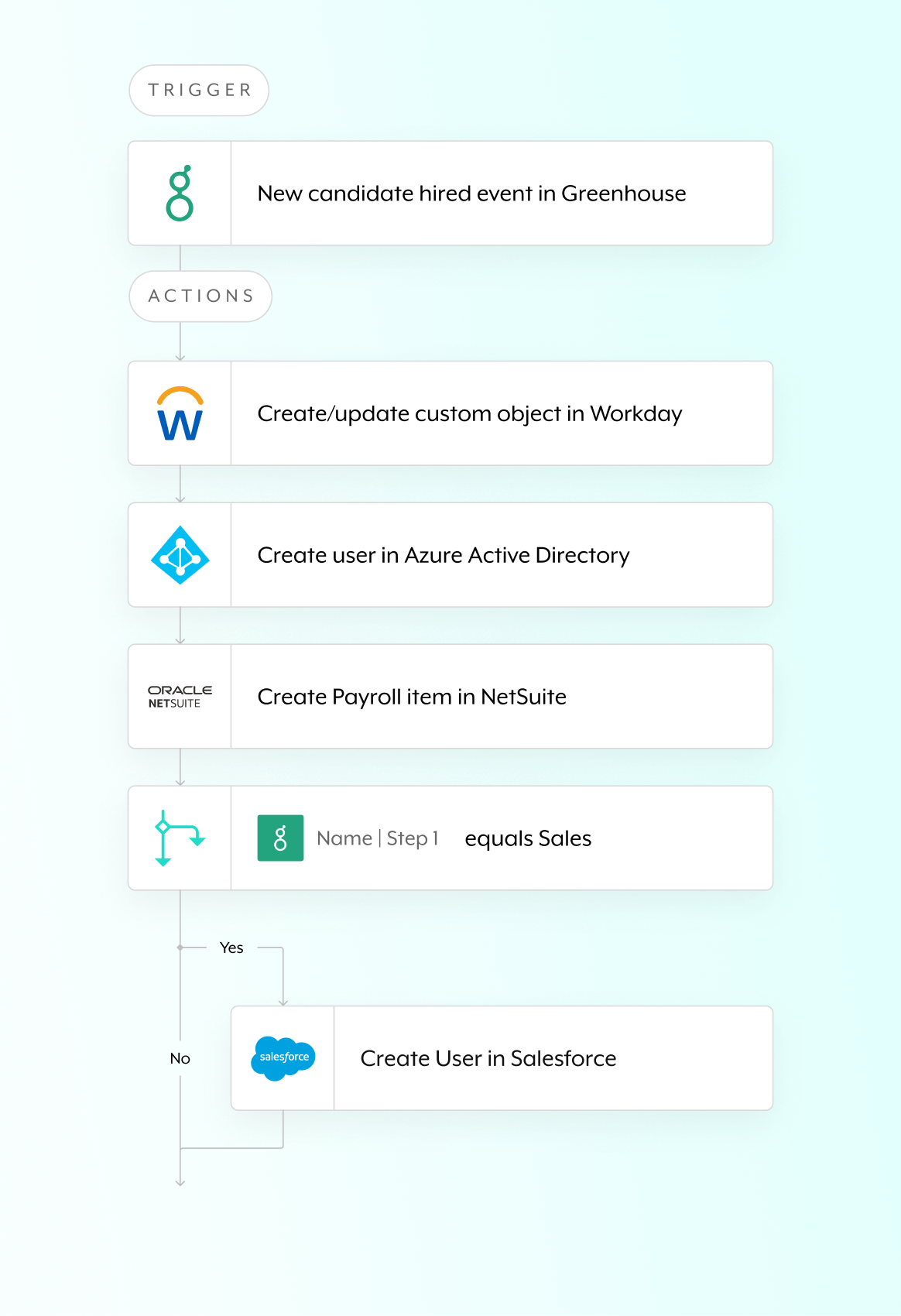
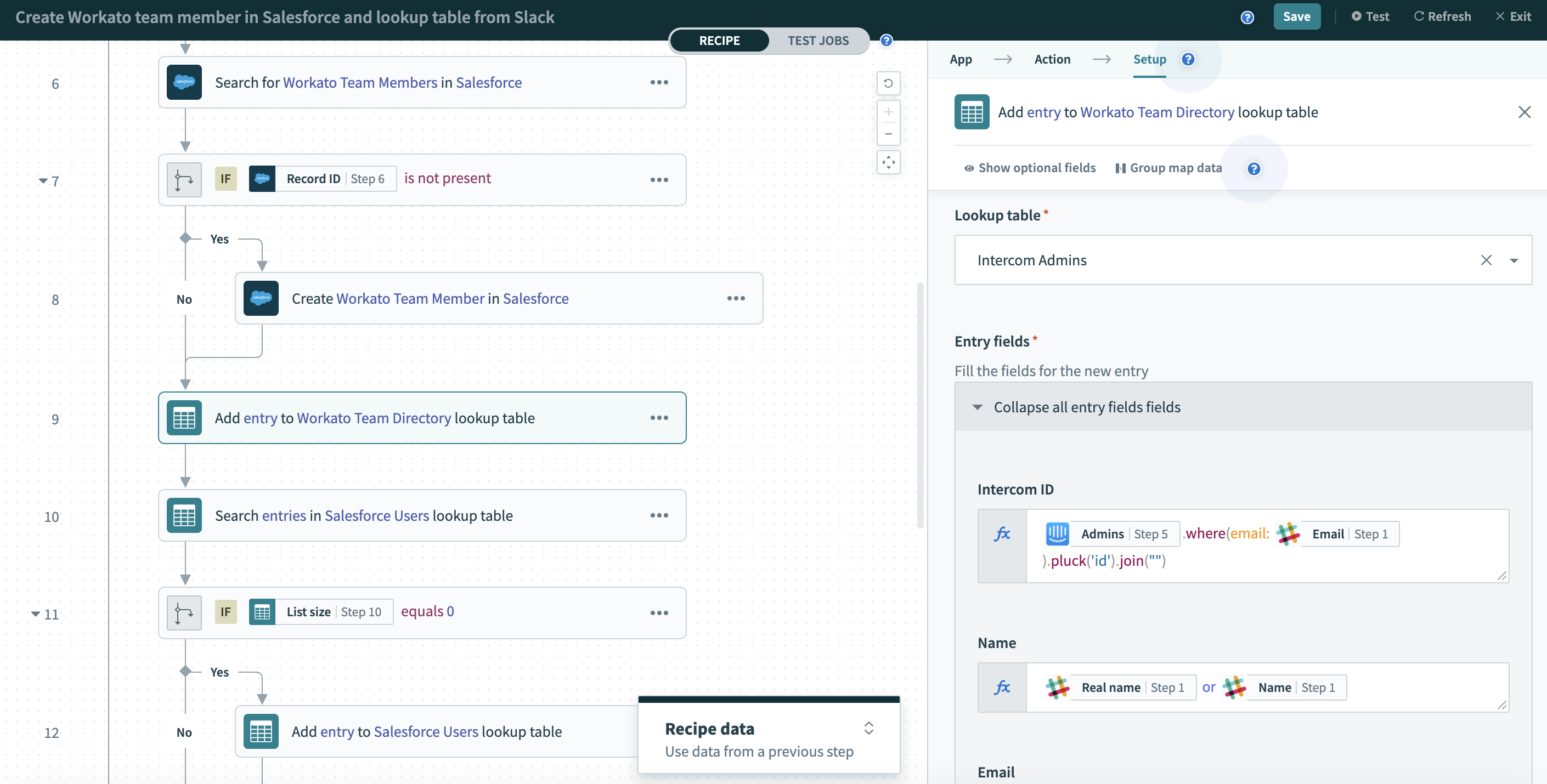
Workato is a comprehensive business automation platform designed to help businesses integrate their applications and automate complex workflows. With its intuitive interface and powerful features, Workato enables users to create automated processes that connect disparate systems and streamline operations. It supports a wide range of integrations with popular applications, making it a versatile solution for enhancing productivity. Workato’s capabilities include data synchronization, process automation, and real-time collaboration, allowing businesses to optimize their workflows and focus on strategic initiatives.
TL;DR, pros and cons breakdown

Pros
Ease of Use
Workato’s intuitive interface allows users to set up integrations and automate workflows without requiring advanced technical skills.
Wide Range of Integrations
Supports a vast number of applications and services, making it versatile for various business needs.
Scalability
Can handle complex workflows and a high volume of transactions, making it suitable for growing businesses.
Strong Community and Support
Offers extensive resources, including tutorials and a user community, to help businesses get the most out of the platform.

Cons
Learning Curve for Advanced Features
While basic features are easy to use, more advanced functionalities may require a learning curve.
Cost for Higher Volume Use
The cost can increase significantly for businesses with high-volume automation needs.
Customization Limitations
Some users may find that customization options for specific workflows are limited compared to other automation tools.
Dependence on Internet Connectivity
As a cloud-based platform, its performance is dependent on a stable internet connection.


Ready to transform your business operations? Get started with Workato and automate your workflows today!